 Anymark
How to convert Excel and PowerPoint to Markdown · Anymark
Spreadsheets and slide decks are hard to share with tools that only read text, including most AI assistants. Anymark turns them into Markdown you can read, edit, paste and search.
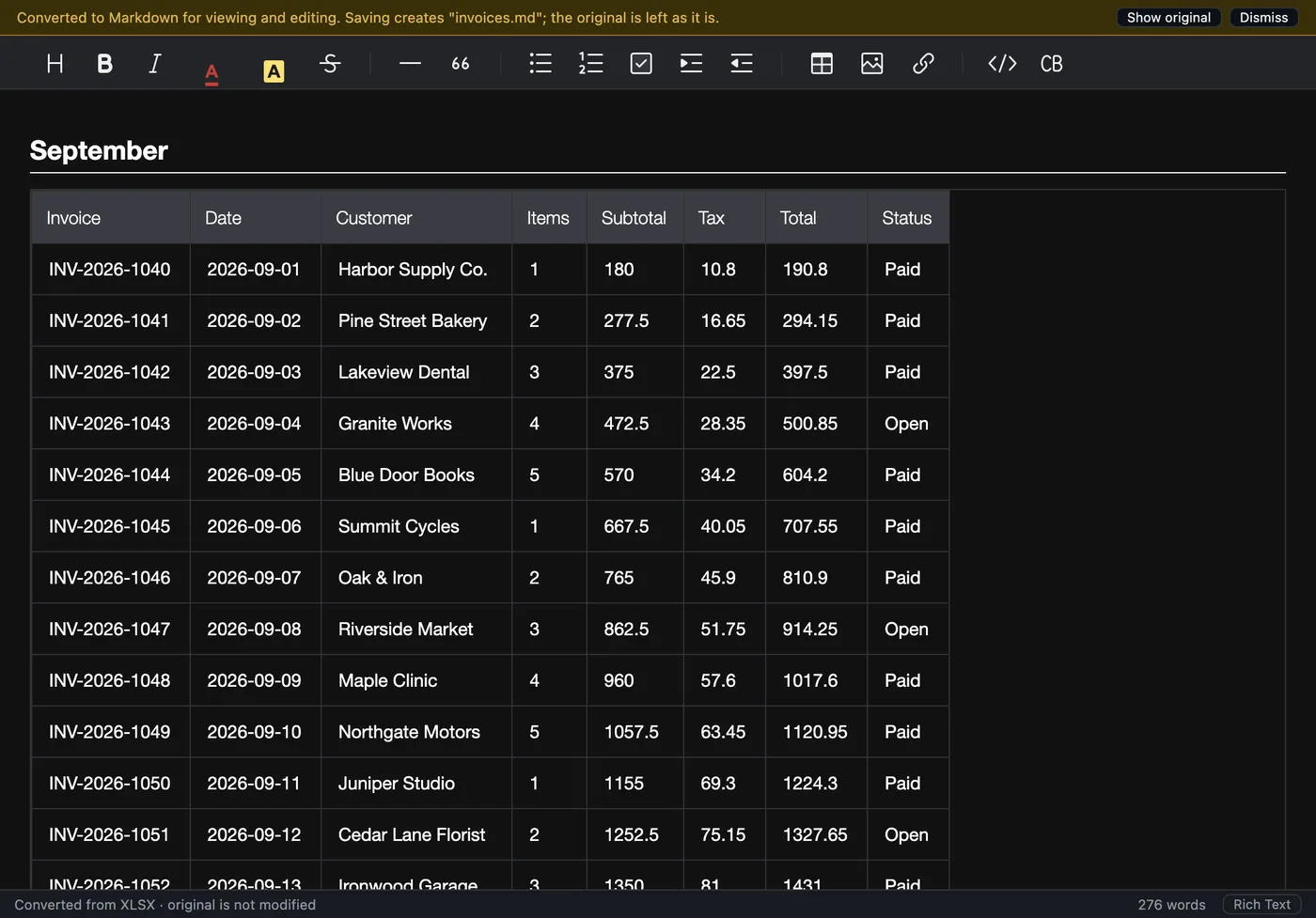
Spreadsheets (.xlsx, .xls, .ods, .numbers, .csv)
- Open the workbook. Each sheet becomes one section, headed by the sheet's name.
- Tables come through as shown. Values appear as Excel displays them, with their number and date formats; merged cells are kept, and several tables on one sheet are found separately. Hidden rows, columns and sheets are skipped.
- Save the
.md. CSV and TSV files open as a single table, values exactly as written.
Slide decks (.pptx, .ppt, .odp, .key)
Each slide becomes one section with its title, its bullet points, any tables and the speaker notes, in order. That makes a deck easy to turn into a handout, an article or a prompt.
Try it on your own files. The full app, free for seven days, no card. Then $9.99 once, for life.
Download for Mac or Windows