 Anymark
How to convert a PDF to Markdown, with tables · Anymark
A PDF does not store paragraphs. It stores letters at positions on a page, so copying text out of one gives you broken lines, columns run together and tables flattened into soup. Anymark rebuilds the document: it works out the reading order across columns, joins the lines back into paragraphs, finds headings, lists and links, and keeps tables as tables, whether they have ruled grids, only horizontal rules, or no rules at all.
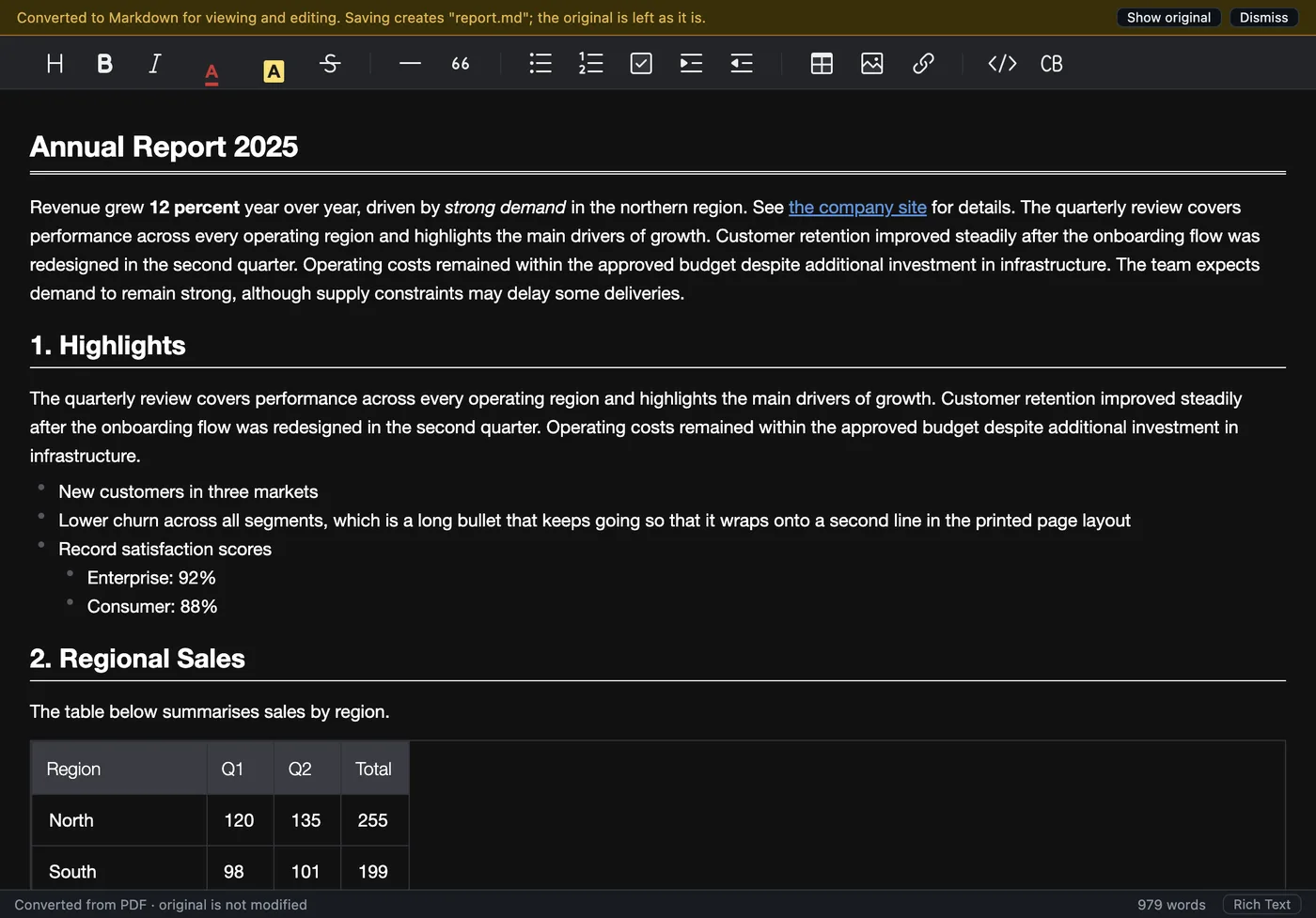
Convert a PDF in three steps
- Open the PDF by double-clicking, dragging it onto the window, or File > Open.
- Look it over. Column alignment, bold labels and totals in tables are kept; centred and right-aligned paragraphs stay that way. Press ⌘/Ctrl+/ to see the Markdown source.
- Save. File > Save writes a
.mdnext to the PDF. Logos, stamps, signatures and other pictures are saved beside it.
Forms and scans
- Fillable PDF forms keep what was typed, ticked and chosen in their fields.
- Forms drawn as a picture with typed entries are rebuilt from both layers.
- Scanned PDFs (a picture of each page, no text inside) are read with the built-in OCR: see How to turn a scanned document into Markdown.
Try it on your own files. The full app, free for seven days, no card. Then $9.99 once, for life.
Download for Mac or Windows